Build Any Memory System You Want
Up until now, you were working with the systems that are more traditional like numbers, binary, cards, words, names, alphabet. Those are great, but they’re not your systems.
That changes now.
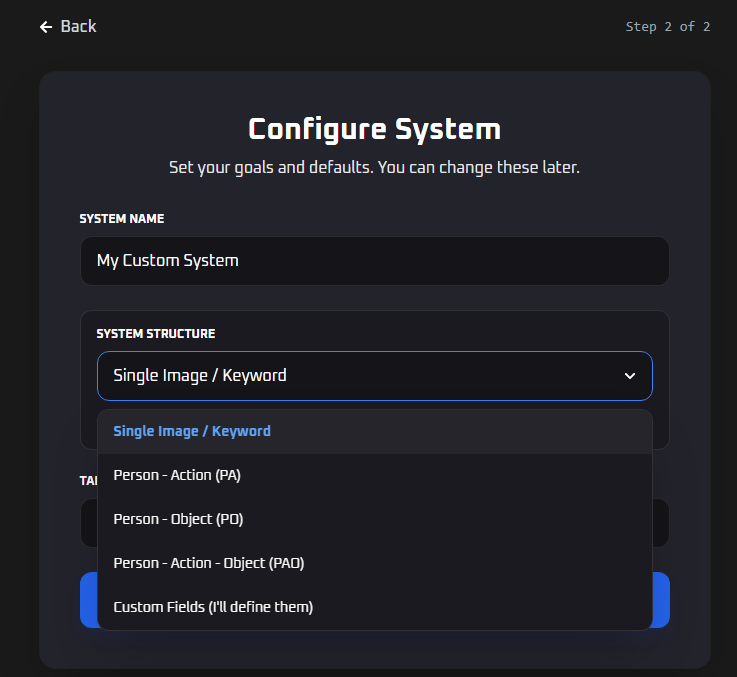
You can create a completely custom memory system for anything you want to learn or train. Want a color system? Build it. Want a system for all 50 US states? Done. Learning a subject that has its own unique set of items? Create a system around it. If there’s something you want to memorize and it doesn’t fit the traditional categories, you can build it yourself and train it properly inside BlitzMemory.
Define Your Own Fields
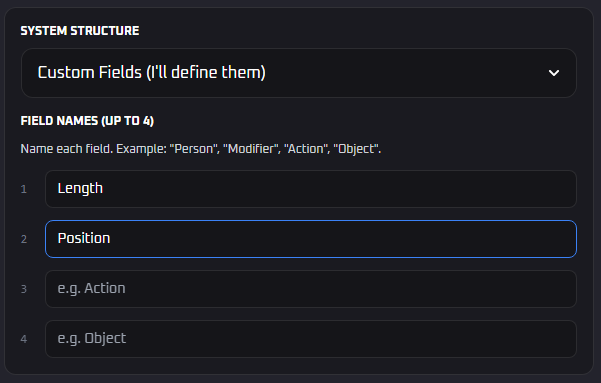
This is one of the details I really like. When you create a custom system, you’re not locked into a preset structure. Traditionally you have things like PAO (Person, Action, Object) or PO — two or three fields with fixed names. Now you can define up to 4 fields you want and name them whatever you want.
If your system needs four fields, add four. If the fields should be called something specific to what you’re building, name them that. It’s completely up to you.
Train It Like Any Other System
Once you’ve built your custom system, it trains exactly like everything else on BlitzMemory. You get all the same training modes, the same spaced repetition, the same stats — heat maps, performance graphs, accuracy over time, all of it. There’s no difference in how it’s treated.
→ Start building your custom system here
System Variations — Experiment Without Breaking Anything
This one’s for every system on BlitzMemory, not just custom ones.
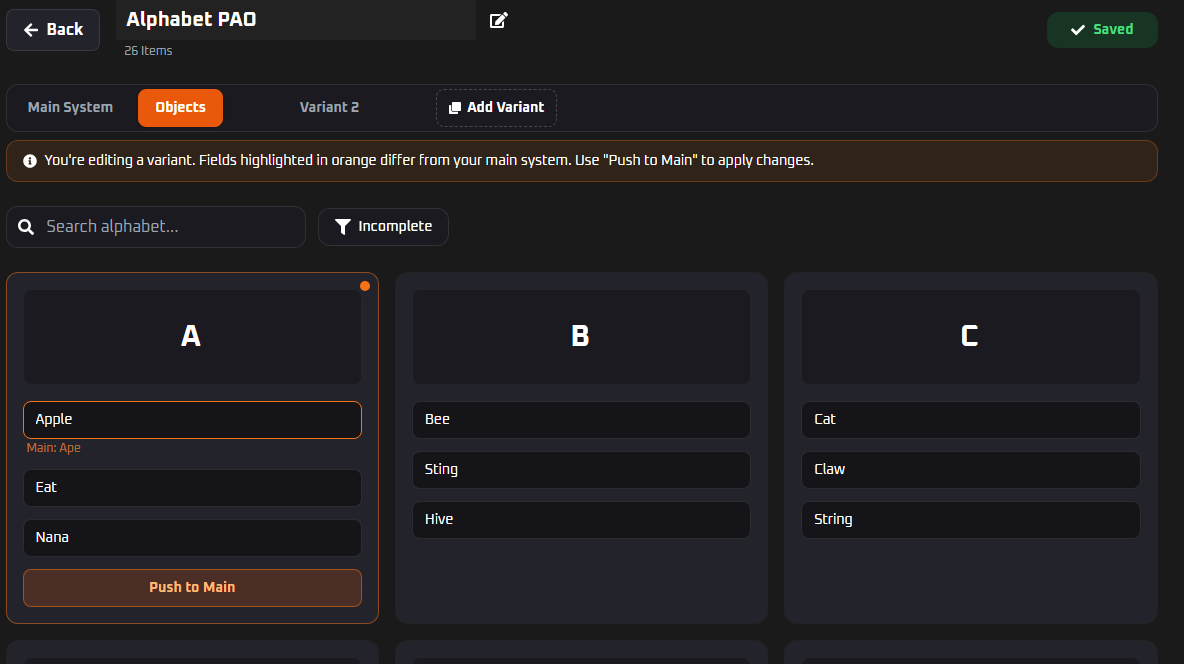
You can now create variations of any of your systems. A variation is basically a copy of your main system that you can experiment with freely and try out different images, test different associations, see what clicks better without touching your main system at all.
If you try something in a variation and love it, you can push those changes directly into your main system. If it doesn’t work, no harm done. You will also know what images are different in the variations compared to the main images.
The Dashboard Now Tells You What to Work On
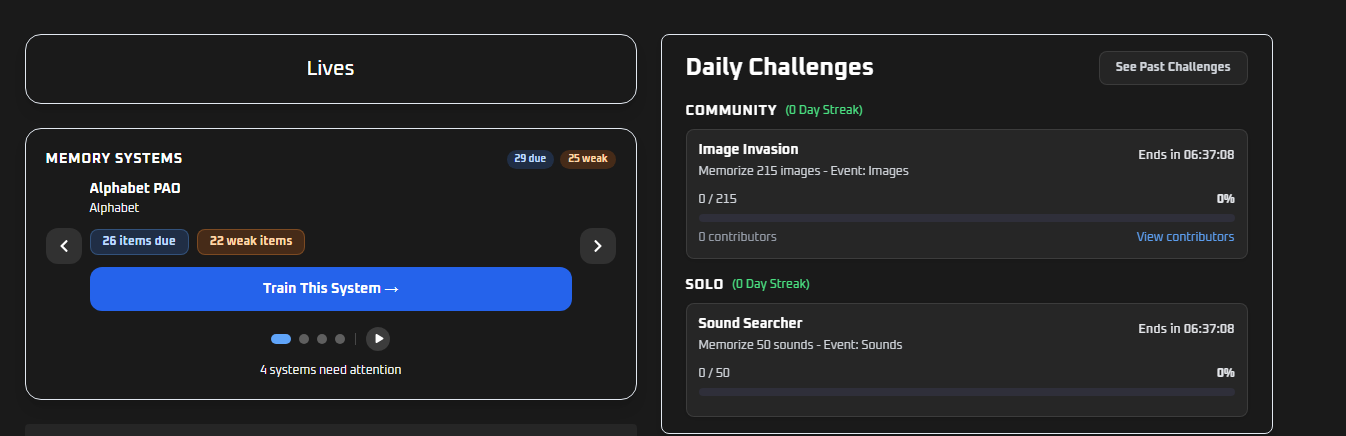
The other big addition is a new section on the dashboard that surfaces exactly what needs your attention the moment you log in.
It breaks it down by system. For each one, it tells you how many items are weak and how many are due for review. You know right away before you’ve even decided what to train where your gaps are and what needs work.
This is genuinely useful because it removes the guesswork. Instead of picking a system and hoping you’re spending your time in the right place, the dashboard points you there. You see the dashboard, you see what’s weak, you go train it.
Quick Recap
- Custom systems — build any system you want, name your own fields, train it like any other
- System variations — experiment with different images and push the best ones to your main system
- Smarter dashboard — see your weak items and review items across all your systems the moment you log in
All of this is live right now.
→ Log in and check it out at BlitzMemory.com
If you have questions or feedback, leave a comment below. Thanks!